Set up workspace and classes
Create school classes by exam and subject, invite co-teachers, and align rosters manually or through Google Classroom sync.
For schools
Schools need more than faster marking for one teacher. Gradenza supports department workflows with AI grading, mock exam mode, Google Classroom sync, grading reports, compliance controls, and class-scoped mastery maps for IB and planned additional exam systems.
Audience
This page is for schools and departments that need consistent assessment workflows across teachers.
IB Mathematics departments running AA and AI classes.
Schools preparing full cohorts for mock exams.
School admins who need controlled integrations and data flow visibility.
Departments that want shared grading reports without forcing every teacher into the same spreadsheet.
Workflow
The school workflow connects roster management, assignment delivery, grading, reports, and compliance controls.
Create school classes by exam and subject, invite co-teachers, and align rosters manually or through Google Classroom sync.
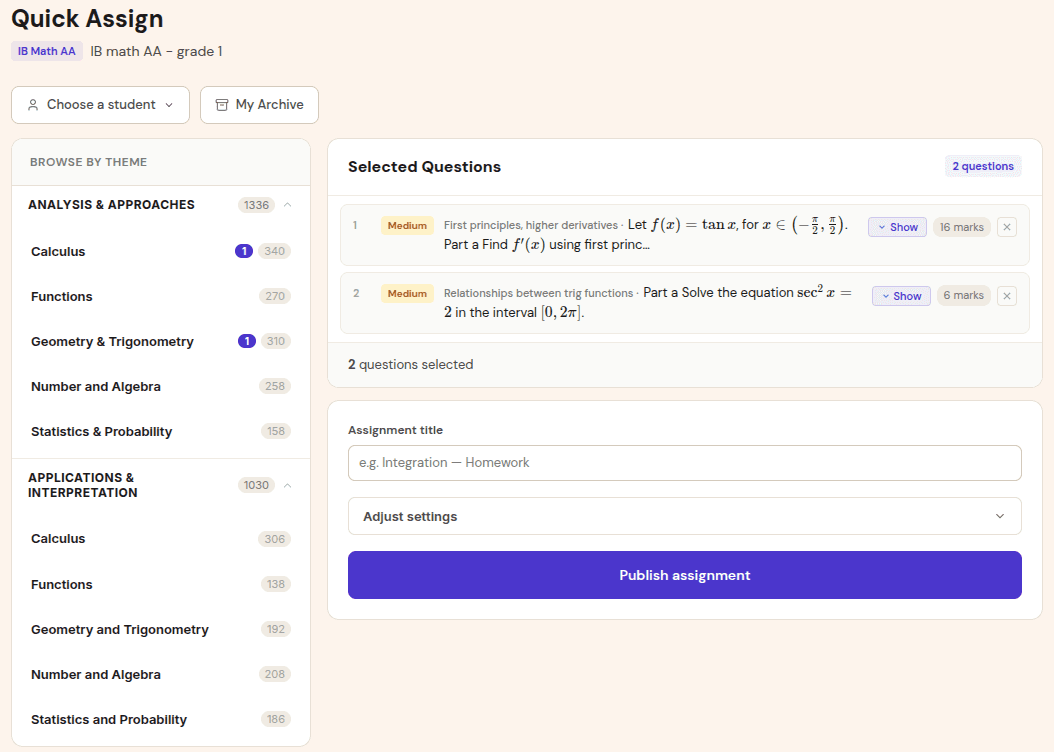
Teachers assign topic sets or full mock papers, then students submit handwritten work through the same submission flow.
AI grading drafts question-level reports. Teachers review flags, finalise marks, and release feedback.
Departments use grading reports, mastery maps, and optional Google Docs or Classroom workflows to close the loop.
Benefits
School value comes from shared consistency and less administrative drag.
Teachers can use a common grading report format while still reviewing final decisions themselves.
Google Classroom sync can reduce manual student management for schools already using Classroom.
Cohort and mastery reports help departments decide what to reteach before final exams.
Proof and trust
Schools need visibility into integrations, data flow, and who controls final grading actions.
School workflows can expose integration status, data flow visibility, and admin controls for institutional use.
Grade writeback is designed as a teacher-initiated action, not an automatic update to official records.
Students can have separate mastery maps per class, which matters when they study more than one exam or subject.
Related resources
Continue into the adjacent workflow instead of treating this page as a dead end.
FAQ
Yes. The product includes Google Classroom workflows such as roster sync, assignment deep links, and teacher-initiated grade writeback.
Yes. Mock exam mode is designed for full-paper grading, review flags, and cohort reports.
The school workflow includes compliance and integration visibility so admins can understand and manage connected systems.
Next step
Start with one IB Math class or mock cycle, then expand once teachers agree on the review and reporting process.