Create a class per exam track
Keep each student enrollment independent so IB Math AA, IB Math AI, and future exam tracks have separate histories.
For tutors
Independent tutors do not need a school LMS, but they do need fast marking, clear feedback, and a way to track progress across students. Gradenza gives tutors AI grading, photo submissions, Follow Through logic, mastery maps, and separate profiles for each exam class.
Audience
This workflow fits tutors who want school-grade structure without running a school deployment.
Solo IB Math tutors assigning weekly homework.
Tutors managing students across IB AA, IB AI, EGE, OGE, or WAEC tracks.
Tutors who need parent-ready progress evidence.
Teachers tutoring privately outside their school LMS.
Workflow
The tutor workflow is built for small groups, one-to-one students, and repeat assignments between lessons.
Keep each student enrollment independent so IB Math AA, IB Math AI, and future exam tracks have separate histories.
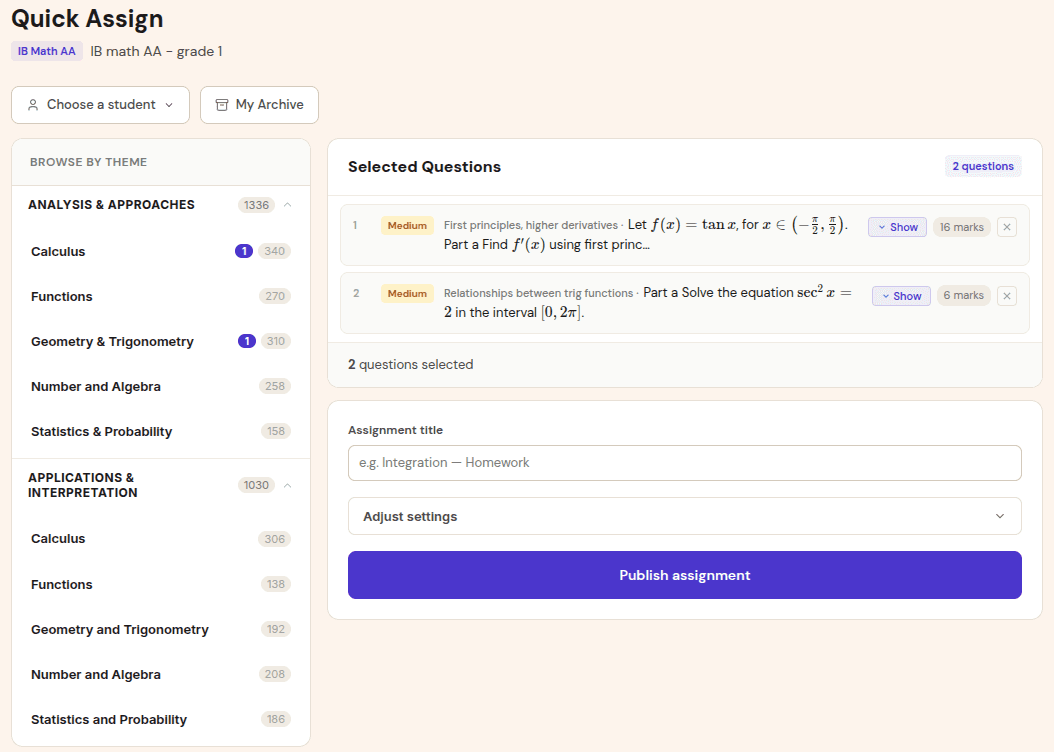
Choose questions by topic, difficulty, and timing. Students receive a simple submission flow.
Students upload photos or Drive files. Gradenza drafts the grading report, including Follow Through decisions when relevant.
Open the mastery map before the lesson and focus time on red or amber subtopics instead of guessing from memory.
Benefits
Tutors need speed, but they also need detail that justifies the next lesson plan.
Students can receive graded work before the next lesson, making the session more focused.
Mastery maps and grading reports make it easier to explain progress to students and parents.
The dashboard is designed around exam systems and subjects, so tutors can switch context without mixing records.
Proof and trust
Gradenza keeps tutor workflows simple while preserving teacher-grade controls.
Tutors can invite students directly and start with a small roster.
The tutor can inspect reports and adjust grading before sharing feedback.
Student profiles are independent per class and exam track, which keeps usage understandable.
Related resources
Continue into the adjacent workflow instead of treating this page as a dead end.
FAQ
Yes. Tutors can create their own classes, invite students, assign work, collect submissions, and review grading reports.
Yes. Each class enrollment has its own assignment history and mastery data.
The homepage positions Gradenza as free for up to 5 students, which is enough for a tutor to test the workflow with a small group.
Next step
Create a class, assign a topic set, and let the first grading report show whether the workflow fits your tutoring style.