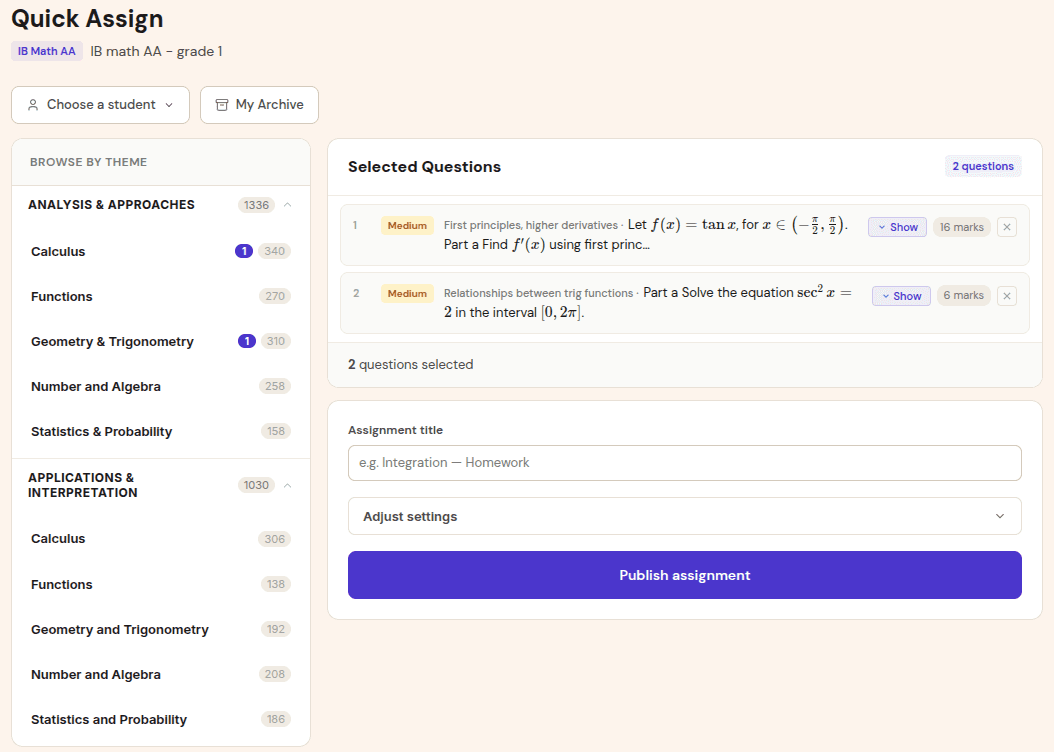
Create an IB Math assignment
Choose the course context, topic, marks, and question set so every result stays attached to the right AA or AI class.
IB Mathematics grading
Gradenza helps IB Math teachers grade handwritten AA and AI work faster while preserving method marks, Follow Through decisions, and teacher review. Students submit photos, PDFs, or Drive files; Gradenza drafts markscheme-based reports and turns finalised results into mastery data.
Audience
Use this page if you want one IB Math grading workflow across homework, topic practice, and mock exam preparation.
IB Math AA and AI teachers who need more than final-answer checking.
Tutors preparing students for full IB papers and topic tests.
Math departments that want consistent reports across multiple teachers.
Schools collecting handwritten submissions through photos, PDFs, or Google Classroom links.
Workflow
Gradenza connects assignment setup, handwritten submission, markscheme-based grading, teacher review, and mastery analytics.
Choose the course context, topic, marks, and question set so every result stays attached to the right AA or AI class.
Students upload phone photos, scanned PDFs, stylus exports, or Google Drive files without retyping equations.
The grading report applies method, accuracy, reasoning, and Follow Through decisions where the question structure allows it.
Teachers inspect flagged decisions, release feedback, and use mastery maps to plan revision by topic and subtopic.
Use cases
The same workflow supports everyday assignments and higher-stakes review cycles.
Grade multi-line differentiation or integration working where method marks still matter after an arithmetic slip.
Review calculator output, interpretation, and modelling steps instead of only checking the final numerical answer.
Turn full-paper grading into question reports and topic gaps before the next revision block.
Benefits
The value is faster marking with enough transparency for teachers to trust and adjust the outcome.
Reports show where marks were awarded or lost, including working, carried values, and teacher-visible flags.
Students can keep solving on paper while teachers keep submissions, reports, and analytics in one place.
Finalised results update mastery maps so the next lesson follows evidence instead of a raw score list.
Proof and trust
Gradenza is built around the marking details that make IB Math different from generic auto-grading.
Own-figure decisions can be labelled in the report so teachers can verify dependent marks.
AI grading drafts the report; the teacher remains responsible for final feedback and grade actions.
AA and AI class data can remain separate, including assignment history and mastery maps.
Related resources
Continue into the adjacent workflow instead of treating this page as a dead end.
FAQ
Yes. Gradenza has separate workflows for IB Math Analysis and Approaches and Applications and Interpretation.
Yes. Students can submit photos, scanned PDFs, stylus exports, or Drive files for grading and teacher review.
No. Gradenza accelerates first-pass grading and reports, while teachers review decisions before releasing feedback.
Next step
Create one IB Math class, collect one handwritten assignment, and review the grading report before expanding to mocks or department use.